

Procedures
Task-specific instructions your agent loads when relevant
Overview
A procedure tells your agent how to handle one specific task. Think of your agent’s set of procedures as an employee handbook: each procedure has a trigger that describes situations when it applies and content describing what to do in those situations. When your agent encounters a situation that matches one of the triggers, it loads the relevant procedure.
Each procedure is written in plain natural language and can call tools (including system tools like ending a call), look up knowledge base documents, and chain to other procedures.
Use procedures when your agent needs to handle many distinct tasks. One example use case is a customer support agent, where each procedure covers one type of request: refunds, identity verification, account recovery, or connection troubleshooting.
When to use procedures
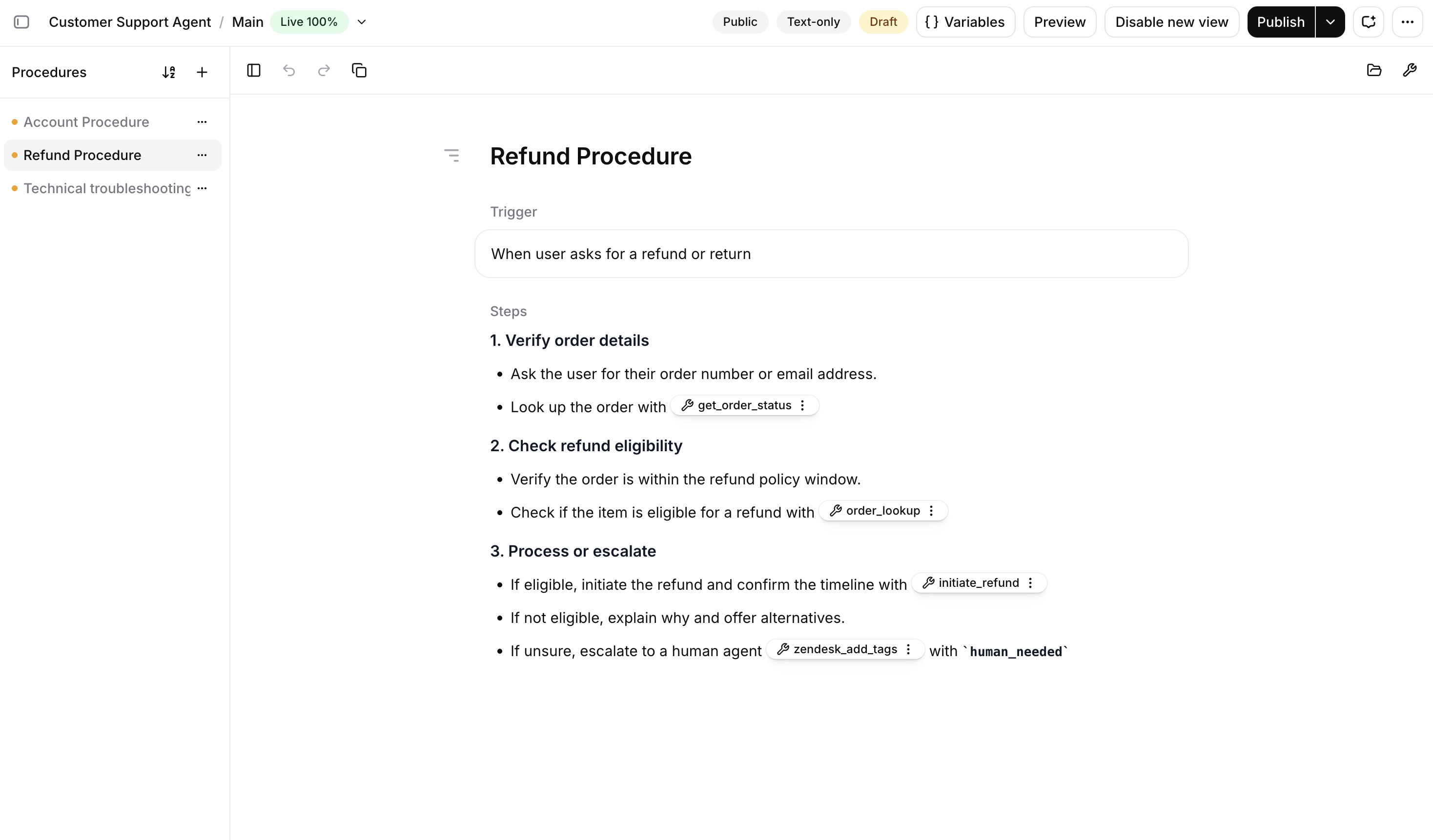
Every agent has a system prompt. Procedures and workflows are two alternative ways to add structure on top.
Pick based on how predictable the conversation is. Workflows are a graph of subagents, each running on a narrow prompt that a smaller and faster LLM can handle. The cost is mapping out the states upfront and accepting a rigid graph that doesn’t flex when the user goes off-script. Procedures, by contrast, keep the whole conversation in a single LLM’s context, so the agent can more flexibly handle end-user interactions and even follow unexpected turns. A notable trade-off is that loading procedures consumes more of an LLM’s context window.
Anatomy of a procedure
Here is a refund procedure in the editor:
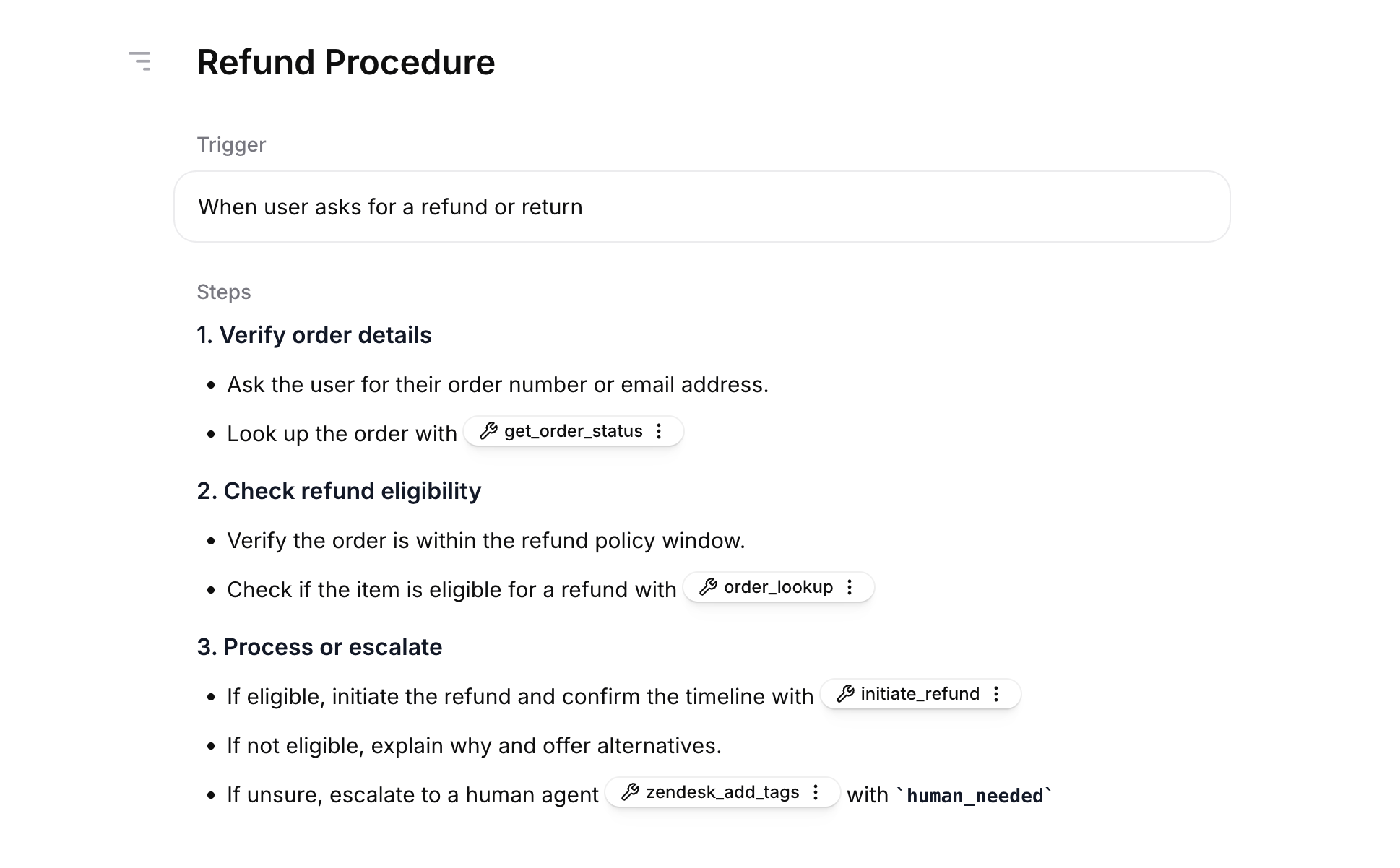
A procedure has two main parts: a trigger and content. Both can contain inline references to other resources, shown in the screenshot above as tags with wrench icons. Each procedure also has a name shown in the dashboard.
Name
A short label that identifies the procedure in the dashboard. The name is never sent to the LLM, so it does not affect agent behavior.
Trigger
A description of when the agent should use this procedure, for example When the user asks to refund an order.
Content
The body of the procedure, written in markdown. Content describes what the agent should do: ask a question, look up an order, call a tool, or end the call. It can be a numbered sequence of steps to follow, or general guidance for the situation. Each step or guideline can be a single sentence (Ask the user for their order ID) or a short paragraph that explains what to do and why.
Use numbered steps for sequential actions and bullet points for requirements or sub-items within a step.
Inline references
Procedures can reference different kinds of resources inline:
- Tools (e.g. look up an order, charge a card, end the call, transfer to a human)
- Knowledge base documents
- Other procedures
Use inline references whenever a step needs the agent to use a tool, knowledge base document, or another procedure. References auto-attach the resource to the procedure so the agent can use it. Plain prose mentions (like use the calculator tool here) also work, but only if the resource is already attached to the agent.
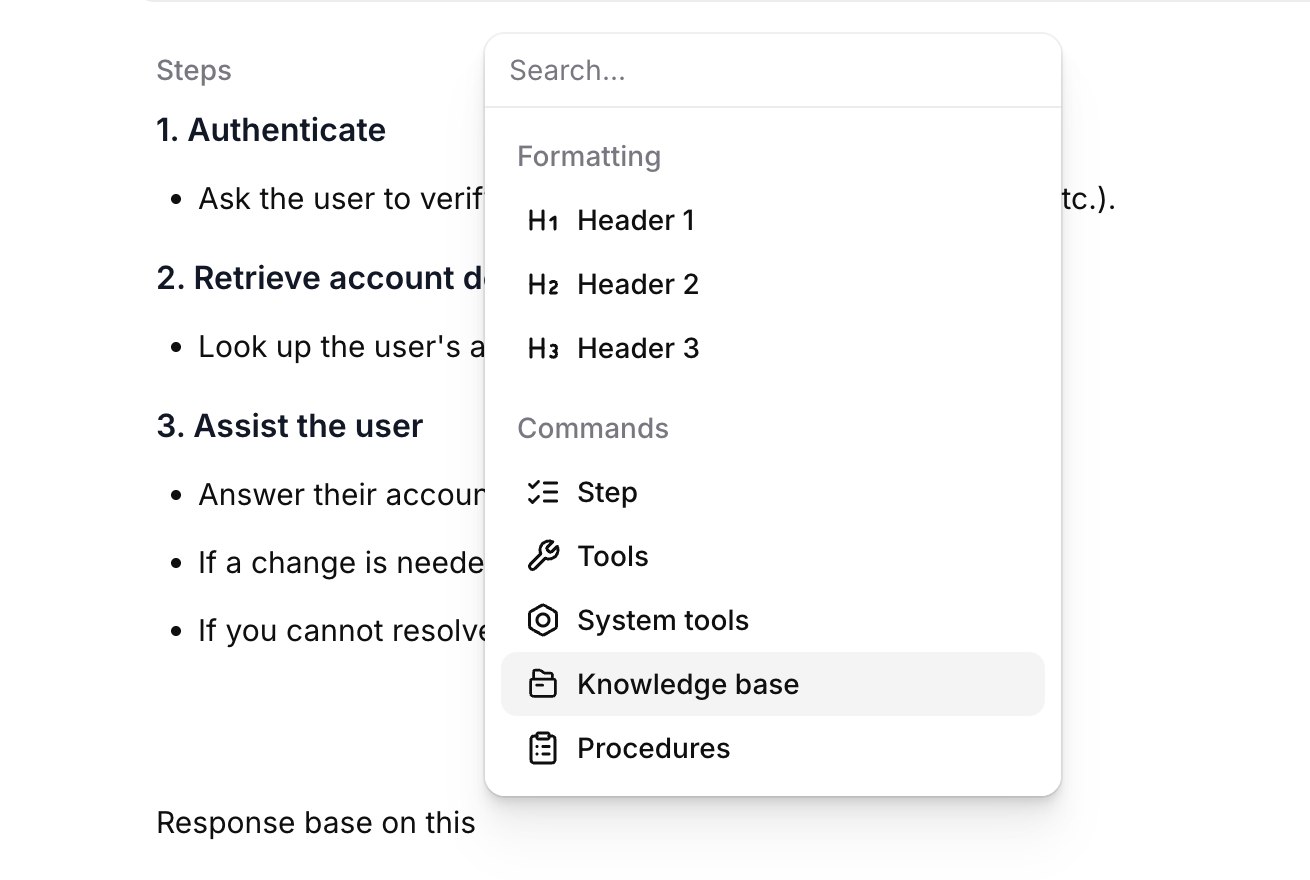
Insert a reference by typing / in the trigger or content and choosing the resource from the slash menu. References appear as clickable tags in the editor. Click a tag to open the underlying resource and confirm its configuration.
A reference in the trigger lets the procedure fire based on a resource’s output, for example When get_user returns tier ‘gold’. A reference in content tells the agent to invoke or consult the resource at that step.
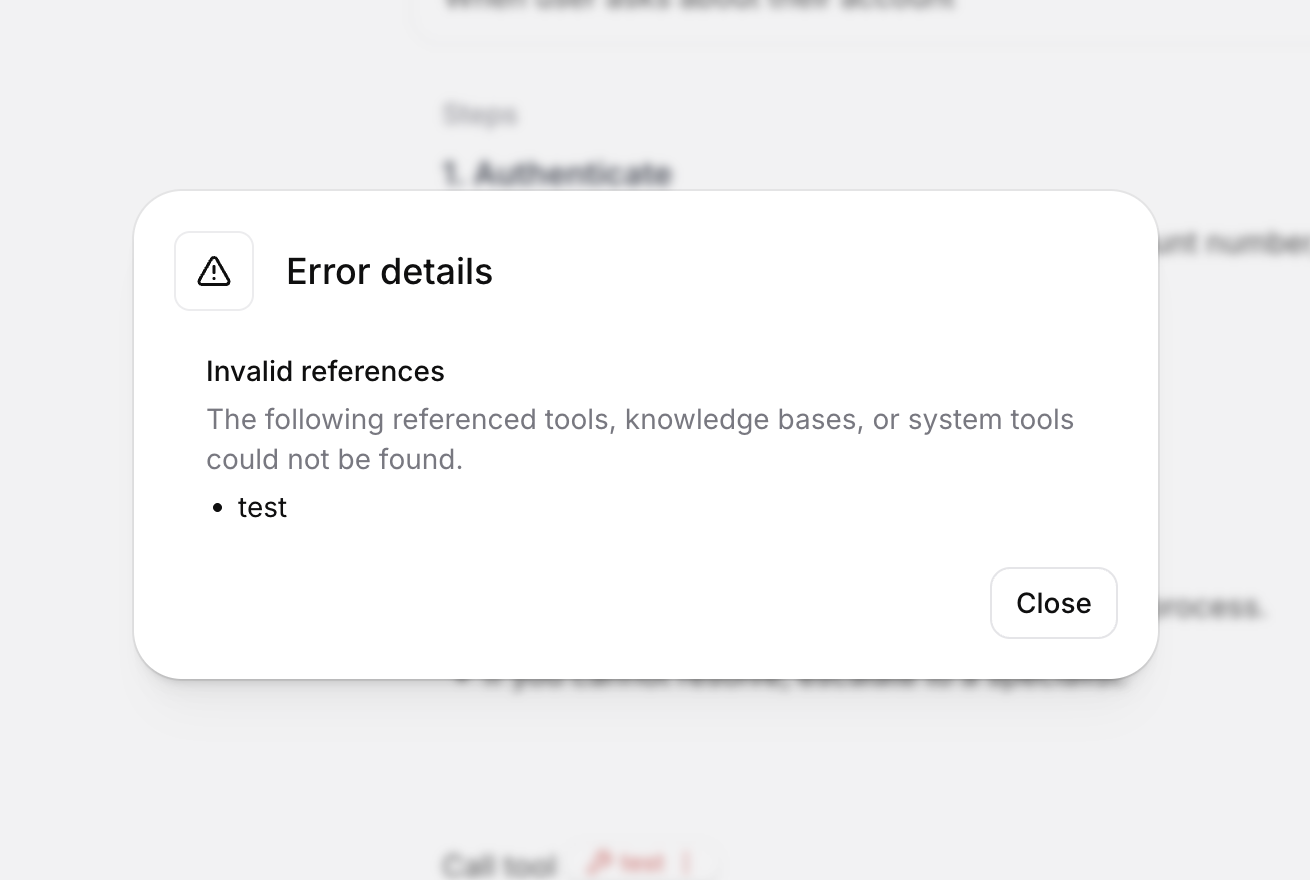
If a referenced resource is deleted later, or your account loses access to it, the tag shows as broken. The Errors badge at the top of the editor lists these references: invalid if the resource no longer exists, or unavailable if it exists but your account does not have access. Open the badge to see which step is affected and fix or remove the reference.
Importing from a document
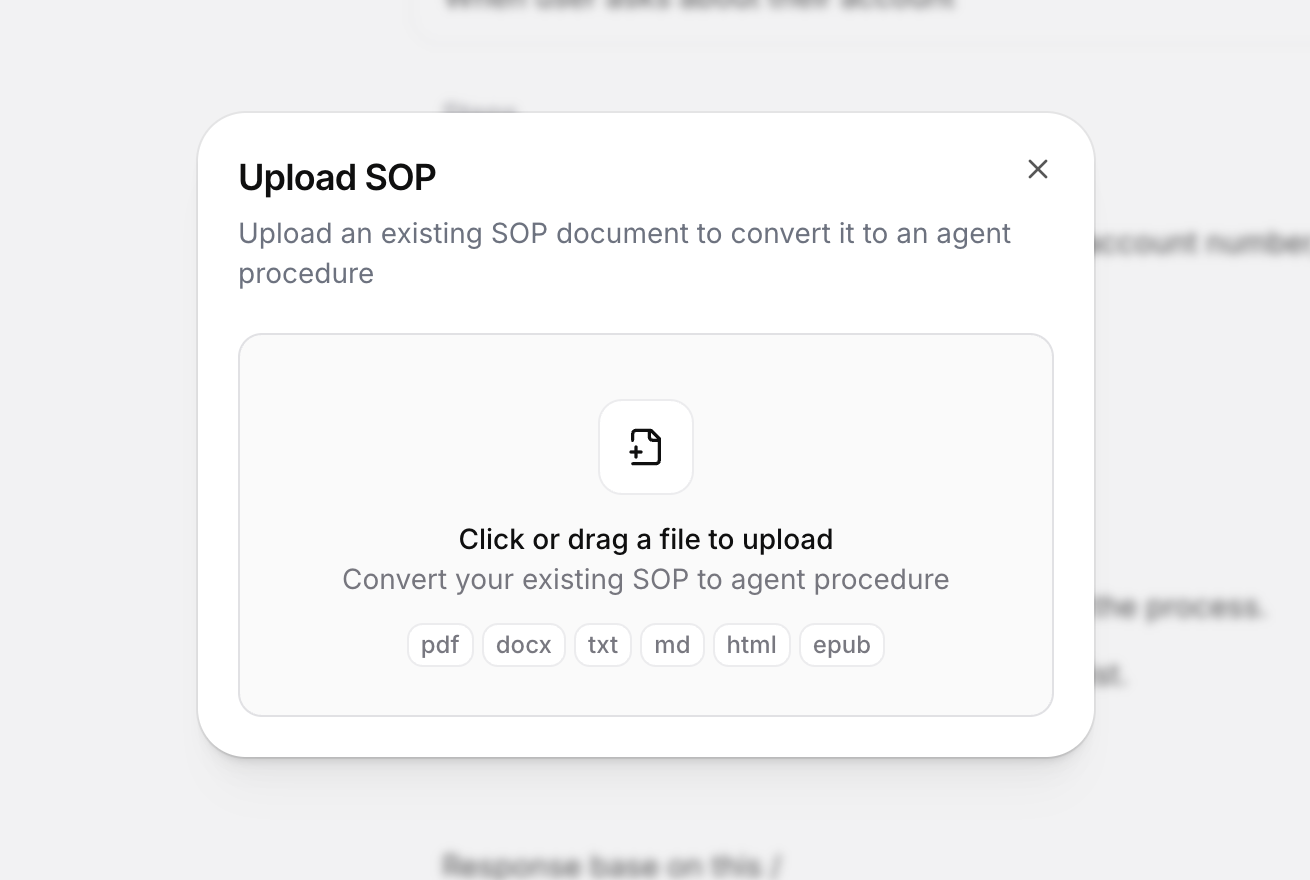
You can bootstrap from an existing standard operating procedure (SOP). Choose From SOP in the procedure list + menu, then upload a file.
Supported formats: PDF, DOCX, TXT, MD, HTML, EPUB. Files must be 20 MB or smaller.
The importer analyzes the document, identifies up to 10 distinct procedures, and creates a draft for each one with a generated name, trigger, and content. Open each draft to refine it. If your document contains more than 10 SOPs, split it into smaller files before uploading.
Best practices
The agent has to pick the right procedure from its trigger and follow the content. More capable models do this more reliably as the number of procedures grows. See Models for options.
Writing procedures well means writing two parts well: a trigger that runs the procedure when it should, and content the agent can follow.
Writing triggers
Keep triggers concrete and disjoint
Overlapping or vague triggers cause the wrong procedure to run. Prefer When the user asks to cancel a subscription over When the user has a question about their account.
Write from the user's perspective
Describe what the user is asking for, not what the agent should do. Triggers phrased as agent actions are less reliable.
Cover the way users actually ask
A narrow trigger can miss real requests when the user phrases things differently. Include the variations the user might say. When the user asks to refund, return, or get money back for an order runs more reliably than When the user requests a refund.
Writing content
Use imperative form
Write steps as instructions to the agent: Look up the customer’s last order rather than You should look up the customer’s last order. Direct instructions are easier to follow than suggestions.
Explain why a step matters
Reasoning generalizes to edge cases the procedure does not enumerate. A short because we need the order ID to issue a refund helps the agent handle situations the steps did not anticipate. Avoid all-caps MUSTs and rigid scripts where a one-line explanation would do the same work.
Keep each procedure focused on one task
If a procedure starts branching into unrelated outcomes, split it into smaller procedures and let the agent route between them.
Composing procedures
Use the system prompt for global behavior
Tone, identity, refusal policies, and guardrails belong in the system prompt. Put task-specific steps in procedures.
Procedures version with the agent
Procedures are part of the agent’s configuration, so they snapshot together when you publish a new agent version. To roll back to an earlier set of procedures, restore an earlier agent version. See Agent versioning.
Bootstrap from existing documentation
If your team already has SOPs, use the importer to turn them into drafts and refine from there.
Release status
Procedures are currently in Alpha. Expect the feature set, dashboard controls, and underlying schema to keep evolving before general availability; some changes may be breaking.